Shorthand
Set a short keyword to type out an entire long phrase — handy for email addresses, common greetings, or any phrase you type over and over.
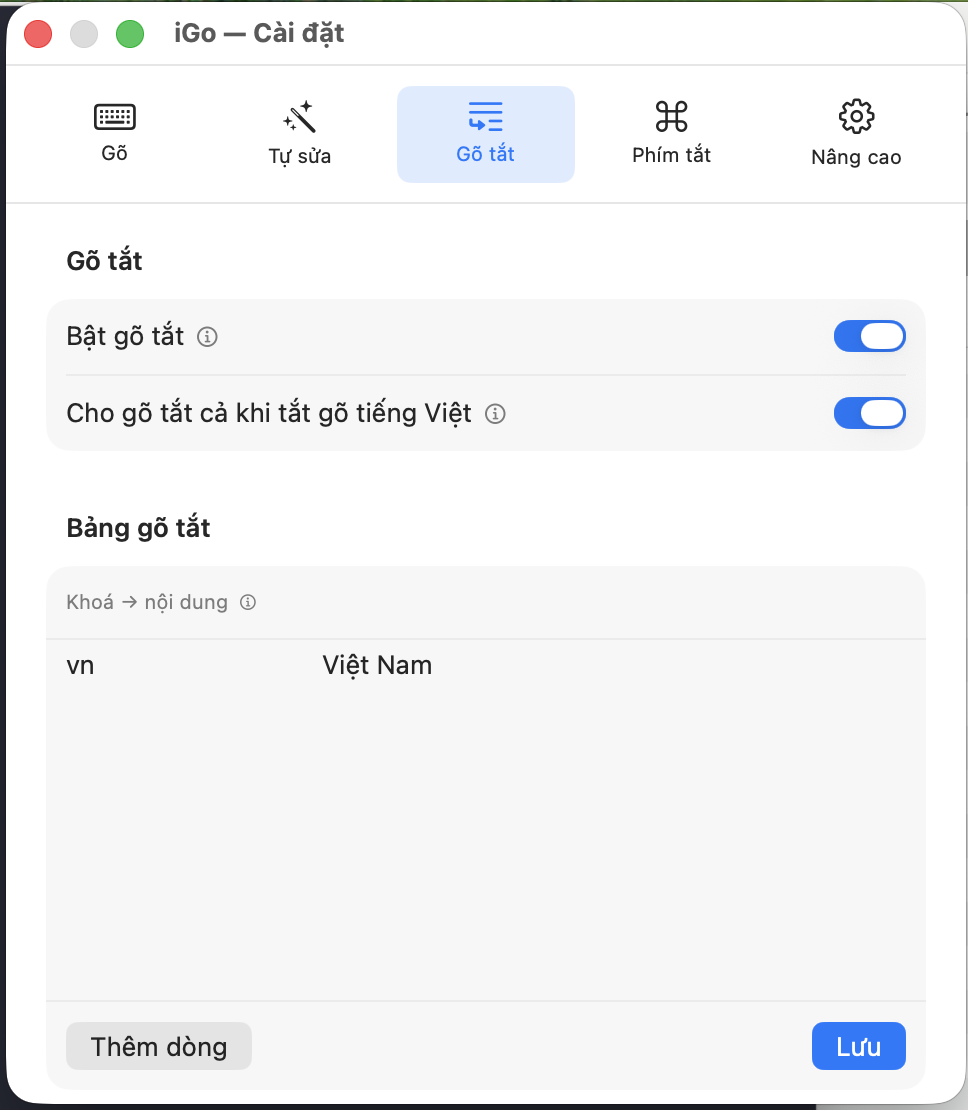
Shorthand
Enable shorthand
- What it is
- Turns on the shorthand feature: type a short keyword, then type a space or punctuation to "expand" it into the matching full text, based on the table you set up below.
- What you get / when to use it
- Example: set the key
vn→ content "Việt Nam": type "vn" then a space, and "vn" automatically turns into "Việt Nam". Expanded by accident, or want to get back the exact key you just typed? Press Backspace/Delete right after to undo it. - Default
- OFF.
- Note
- Choose short, distinctive keys that don't overlap with ordinary Vietnamese words — this avoids accidental expansion when you didn't mean to use shorthand.
Allow shorthand even with Vietnamese typing off
- What it is
- Normally, shorthand only works while Vietnamese typing mode is on. Turn on this extra option so shorthand still works even while Vietnamese is off (when you're typing plain English).
- What you get / when to use it
- Useful if you have shorthand keys you want available at all times, regardless of which language you're typing — for example, an email signature or a frequently used address.
- Default
- OFF.
Shorthand table
Key → content list
- What it is
- A table of your own "key" (a short word you'll type, with no spaces) and "content" (the full text it expands into) pairs — you can add, edit, or delete them freely.
- What you get / when to use it
- Add a new row with the "Add row" button (an empty row appears for you to fill in the key and content), edit directly by typing into a cell, and remember to press "Save" after adding or editing to keep your changes. To delete a row, swipe it left in the table.
- Default
- Empty table — you add your own key-content pairs.
- Note
- The expanded content can use a few special codes to auto-fill in values:
{date}→ today's date,{time}→ the current time,{datetime}→ the current date and time,{clipboard}→ whatever you just copied. Example: the keykytenngaywith content "Hà Nội, {date}" will always expand with today's actual date each time you type it.