Advanced
A few options for users who like to dig deeper. Most users never need to touch these settings.
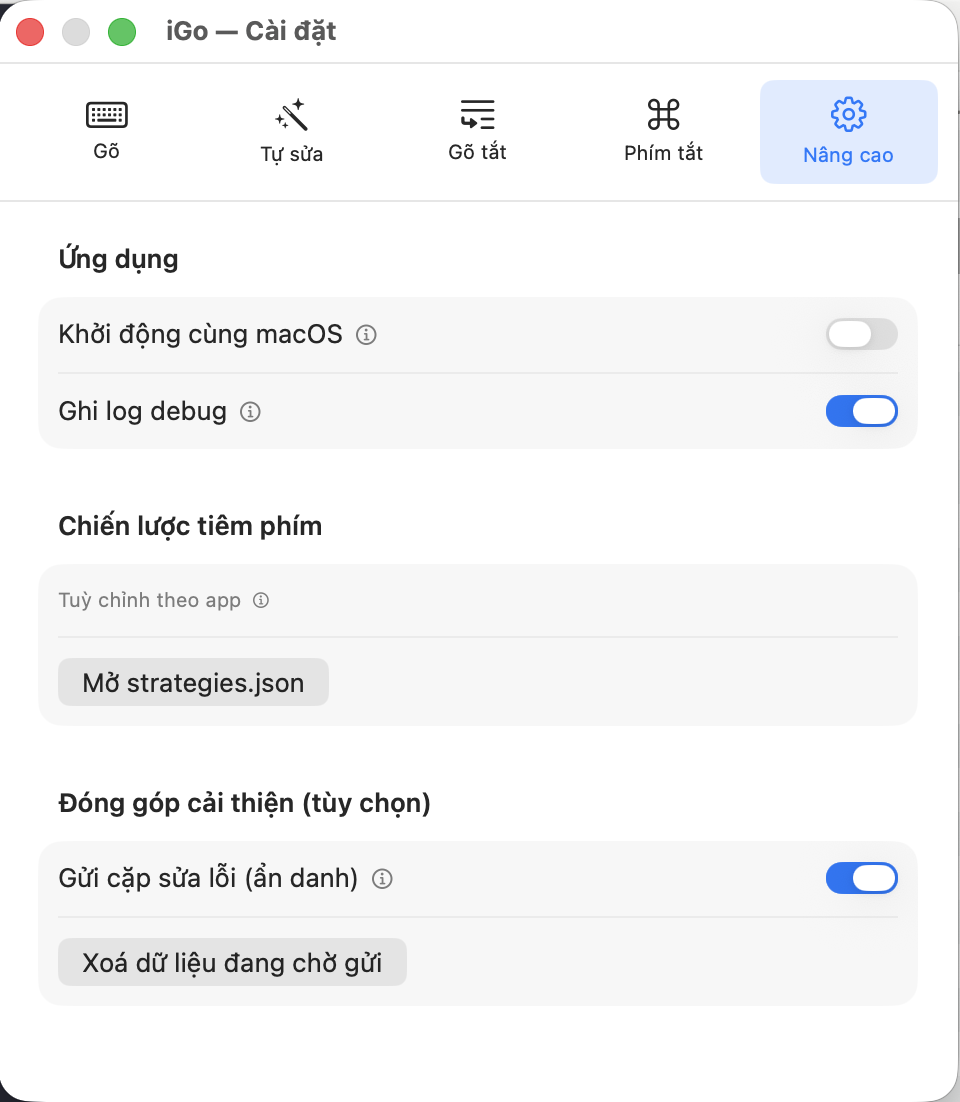
Application
Launch at login
- What it is
- iGõ runs automatically every time you log into your Mac, so you don't have to open it yourself.
- What you get / when to use it
- Turn this on so you don't have to remember to open iGõ every time you start your computer.
- Default
- OFF.
Write debug log
- What it is
- Records detailed activity logs of iGõ for troubleshooting purposes.
- What you get / when to use it
- Most users don't need to turn this on. Only enable it when technical support asks you to, to help track down a specific issue.
- Default
- OFF.
Help improve iGõ (optional)
Send correction pairs (anonymous)
- What it is
- When you correct a word you just typed (for example, typing it wrong and then fixing it), iGõ can anonymously send that "typo → correction" pair back to help improve the Autocorrect feature for everyone.
- What you get / when to use it
- Turn this on if you'd like to help improve iGõ. Completely anonymous — only the exact word pair (wrong → correct) is sent, NEVER your password or any other content you type.
- Default
- OFF.
View / Clear pending data
- What it is
- Text showing how many correction pairs are currently waiting to be sent. The "View" button opens the detailed list of those pairs; the "Clear pending data" button deletes them all so they're never sent.
- What you get / when to use it
- Use "View" if you want to check exactly what data will be sent before it's sent; use "Clear" if you change your mind and no longer want to send that pending batch.