1Open the .dmg you downloaded and drag iGo into your Applications folder.
2
Open iGo for the first time. macOS blocks apps that Apple has not notarized — pick the tab that matches your macOS version:
3Done! Open iGo from your Applications folder.
Install only one of the two — they share the same data and cannot run side by side.
iGõ or iGo?
The two builds differ in exactly one thing: Vietnamese typing. The mini app store is identical.
iGõ
iGo
Telex / VNI Vietnamese typing
✓Yes
—No
Typo correction and shorthand
✓Yes
—No
Mini app store
✓Yes
✓Yes
Mini apps available
The whole store — currently TreeSize and FreshDrive
The whole store — currently TreeSize and FreshDrive
Sync across Macs with an account
✓Yes
✓Yes
macOS permissions required
Accessibility and Input Monitoring
None at all
Who it is for
People who type Vietnamese every day
People who do not type Vietnamese and just want the mini apps
Price
Free forever
Free forever
Both installed at once
No — pick one build
No — pick one build
One app, many mini apps
Both iGõ and iGo ship with the mini app store: small tools you install when you need them and remove when you do not. Each mini app runs in its own process, so a crash never takes the main app down with it.
1–2 new mini apps every month.
Screenshot coming soon
iGo TreeSize
See which folders are eating your disk. Scan a folder and rank everything by the space it actually takes; results appear as a tree you can drill into, and you can filter out anything below a threshold you set.
Screenshot coming soon
iGo FreshDrive
Clears macOS and Windows junk from external drives every time you plug one in — .DS_Store, hidden trash folders, Spotlight indexes, System Volume Information. A USB stick you hand to someone else no longer arrives littered with stray files.
Screenshot coming soon
iGo Video Downloader
Download video from any link: YouTube, Facebook, X, LinkedIn, Threads…
Screenshot coming soon
iGo Image Convert
Batch convert, resize, and compress images
Screenshot coming soon
iGo Video Convert
Convert video: format, codec, resolution
Screenshot coming soon
iGo Duplicate Finder
Scan folders/volumes for duplicate-content, hardlinked and name-similar files; safe removal via Trash.
Screenshot coming soon
iGo Bulk Renamer
Bulk rename files with templates, find-replace, and numbering
Screenshot coming soon
iGo QR Code
Create, organize, and decode QR codes
Free forever
The main app is free forever, and every account gets two mini apps of its choice free forever — no trial period, no ads.
The input method and the platform: free, and never charged for.
Your first two mini apps: free forever, and you pick which ones.
From the third mini app on: 1 USD / 20,000 ₫ per app, paid once.
Without signing in, every local feature still works fully.
Why iGõ?
Existing input methods often garble text in VS Code or the command line — dropped keystrokes, doubled letters, misplaced tones. iGõ was built specifically to type correctly in exactly those places.
Features
Telex and VNI
Type in whichever style you like, and switch anytime. Modern tone placement by default — "hoà" instead of "hòa" (configurable).
Works correctly everywhere
VS Code, the terminal, web terminals, and many other apps — places where other input methods often drop keystrokes or double letters.
Auto-corrects typos
A community dictionary fixes common typos, plus a personal dictionary you define yourself — if a pair overlaps, your own rule wins.
Shorthand
Define your own shorthand — type "vn" and get "Việt Nam". Supports multi-line signatures and pasting from the clipboard.
Sync across Macs
Sign in to carry your settings, shorthand table, and personal dictionary to another Mac. Without signing in, every local feature still works fully.
Private & free
Free, with no ads. Any data collection is opt-in — asked for the first time you run the app, and can be turned off anytime.
See it in action
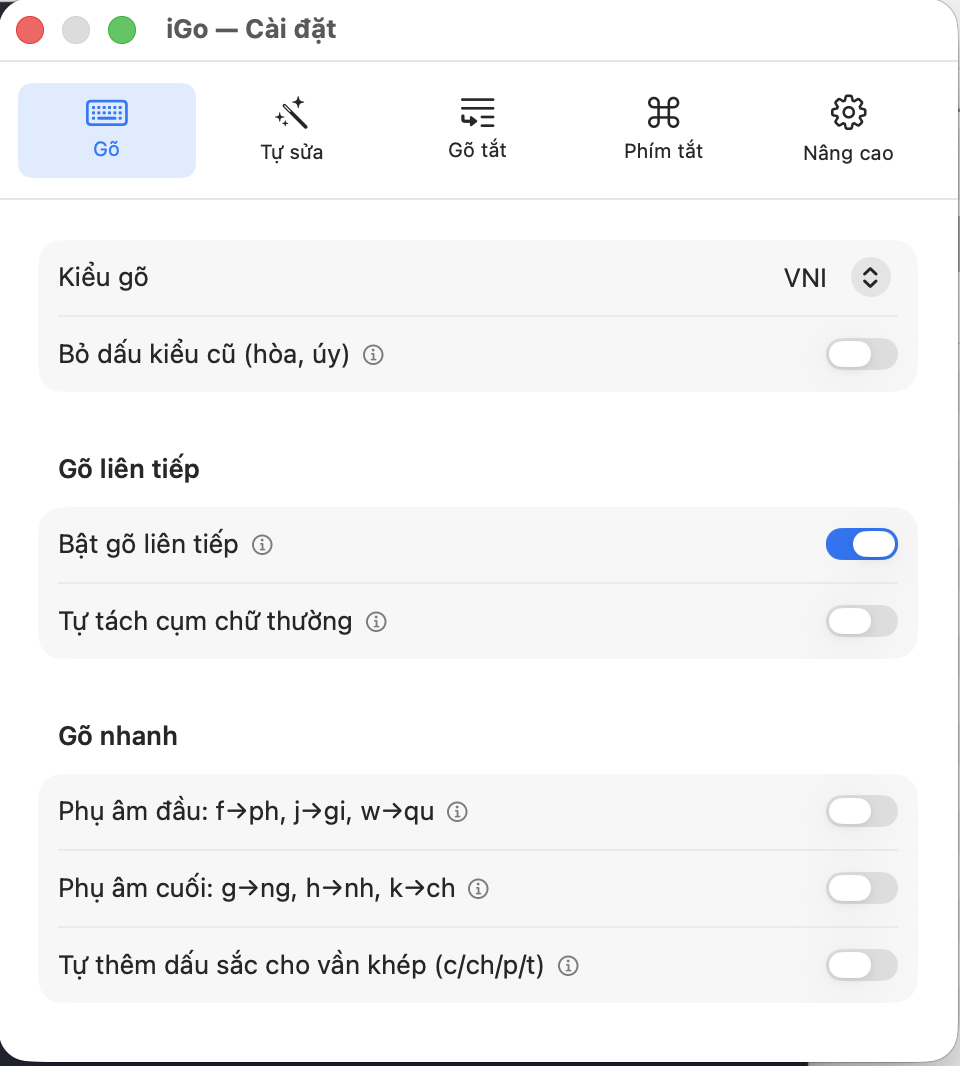
Pick your typing style, turn on auto-fix, tune shorthand — all in one tidy menu-bar app.
Learn to type in 2 minutes
New to typing tone marks? The guide has the full keyboard table with examples for both Telex and VNI.